
Open the Model Picker
In Gen AI, click the Model control to browse the available models.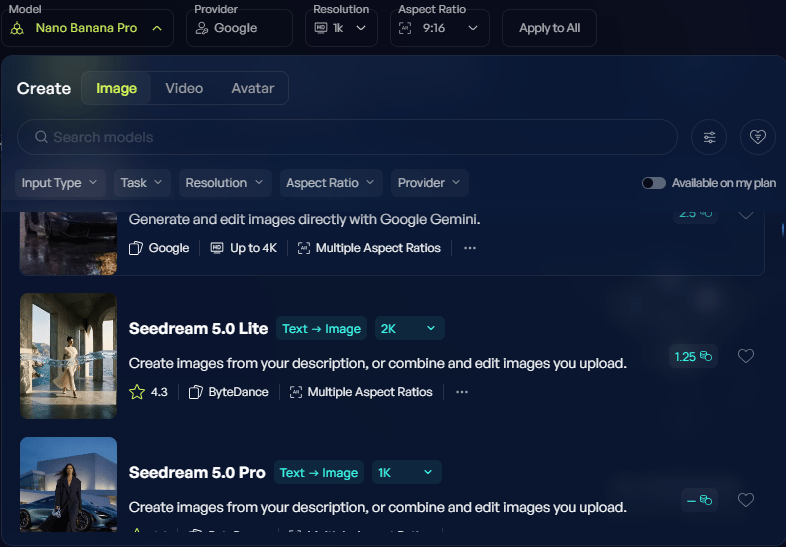
Find a suitable model
Search for a model by name, or narrow the list using:- Input Type
- Task
- Resolution
- Aspect Ratio
- Provider
Check the model’s capabilities
Open More details to review what a model supports. Depending on the task, check:- Accepted inputs and the number of references.
- Output resolutions and aspect ratios.
- Video duration and audio support.
- Available generation settings.