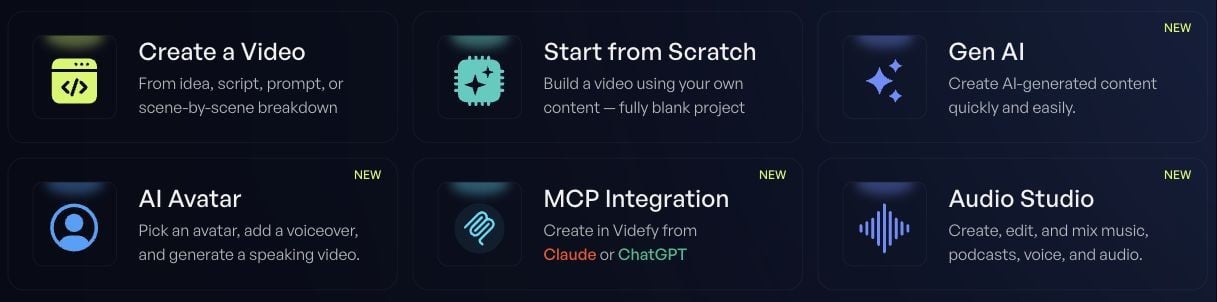
Start with the idea you want someone to remember. Videfy gives you a place to shape the story, create the visuals, edit the video, and export it. If this is your first visit, follow Make your first video. You’ll work with a short script and learn the main controls along the way.

Choose where to begin

You have…Start here
An idea, script, or scene planCreate a Video
Footage, images, or a blank canvas in mindStart from Scratch
A specific image or video to generateGen AI
A face or video you want to pair with speechAI Avatar
Audio to edit or a voiceover to createAudio Studio
A question about what to do nextLYRA
Videfy Cards You can move between the Storyboard and Videfy Studio as the project takes shape. Use the Storyboard to work on the scenes; use Videfy Studio to adjust what viewers see and hear over time. Need a hand? Open your profile menu, then Help. You’ll find documentation, the community, and a way to ask the team.